A control for picking timeslots in a given week, and looks something along the lines of:
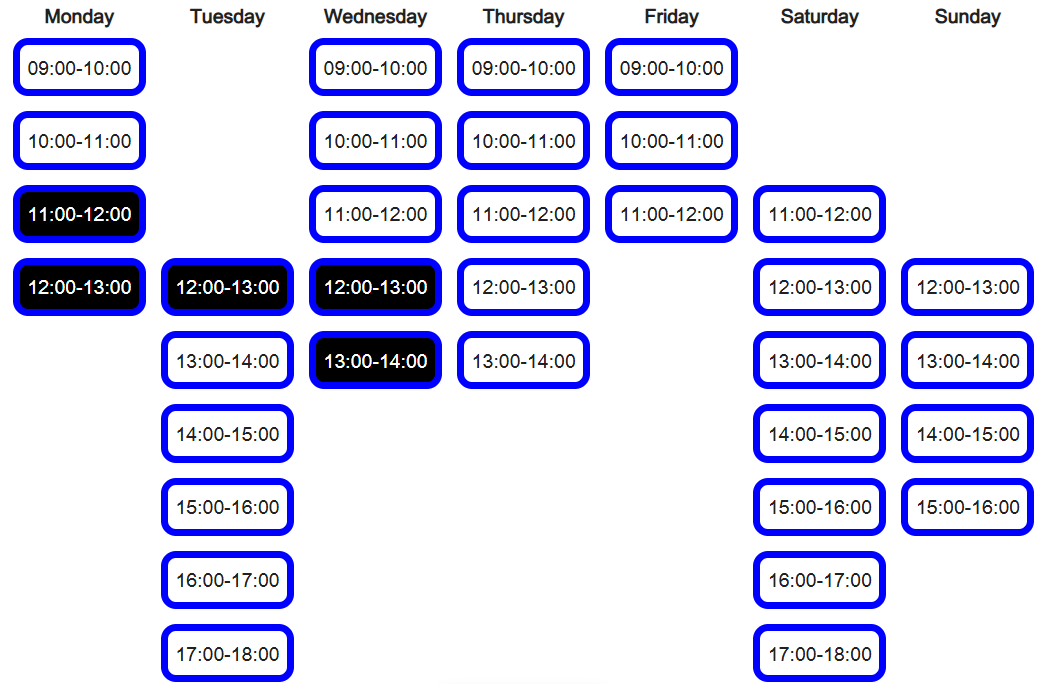
The control can be used as:
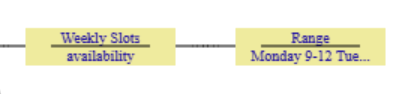
The Range node specifies which days (and label if need another language), along with time slots (which hour they start) for that day (each day on a separate line) - so different days can have different hours available, an example could be:
Monday 9-12
Tuesday 12-17
Wednesday 9-13
Sunday 12-15The variable name on the control specifies what data should be used to initialise selected slots when first created, and where to store values after an update.
Specific styling may be achieved by the use of CSS.
Notes:
The days of the week (labels) are styled by the CSS style of rvTimeSlotHeadings
The slots themselves are styled by CSS style of rvTimeSlot and rvTimeSlotSelected
Examples could be:
.rvTimeSlot {
padding: 5px;
margin: 5px;
background-color: white;
border-style: solid;
border-width: 5px;
border-color: blue;
border-radius: 10px;
cursor: pointer;
}
.rvTimeSlotSelected {
padding: 5px;
margin: 5px;
background-color: black;
color: white; border-style:
solid; border-width: 5px;
border-color: blue;
border-radius: 10px;
cursor: pointer;
}
.rvTimeSlotHeadings  {
font-weight: bold;
text-align: center;
}The format for the rendering of the times can be changed (e.g. from 09:00-10:00) by attaching a Format node with the desired formatting. This is specified as SS for the start hour and EE as the end hour. i.e. the default format is SS:00-EE:00, a format of SS to EE would produce the result of 09 to 10 for the above example.